


When working with an Apache TsFile file, developers often need quick answers to a few practical questions:
Is the file healthy and readable?
What devices and measurements are stored inside?
What data types, encodings, and compression methods are used?
Does the data within a specific time range match expectations?
Previously, answering these questions often required command-line tools, custom scripts, or manual file analysis.
Now, with TsFile Viewer, users can inspect TsFile metadata, preview data, visualize trends, and perform file health checks directly in a browser — without writing additional scripts.
What Is TsFile Viewer?
TsFile is a high-performance file format designed for efficient storage, writing, and transmission of time-series data. It is an important component of the Apache IoTDB ecosystem.
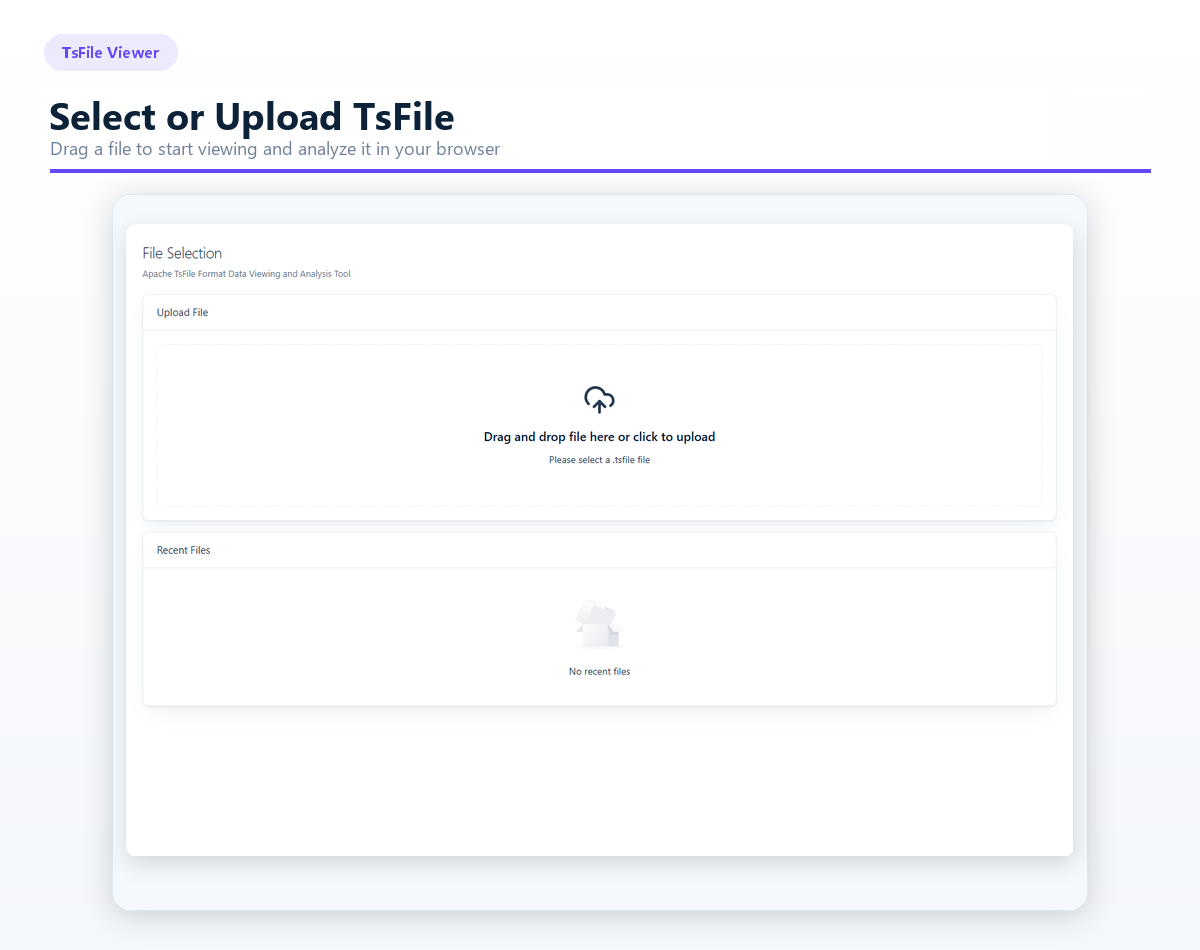
TsFile Viewer is a visual inspection and analysis tool built specifically for TsFile files. Users can select an existing file or simply drag and drop a .tsfile file into the browser to explore its structure, inspect stored data, and evaluate file health.
The workflow is straightforward: go from "I have a TsFile" to "I understand what is inside it" through a simple path:
Select the file -> Explore the structure -> Filter data -> Analyze or export results.
Understand File Structure with Tree and Table Models
TsFile supports different data organization models, and TsFile Viewer provides corresponding metadata views based on the file model.
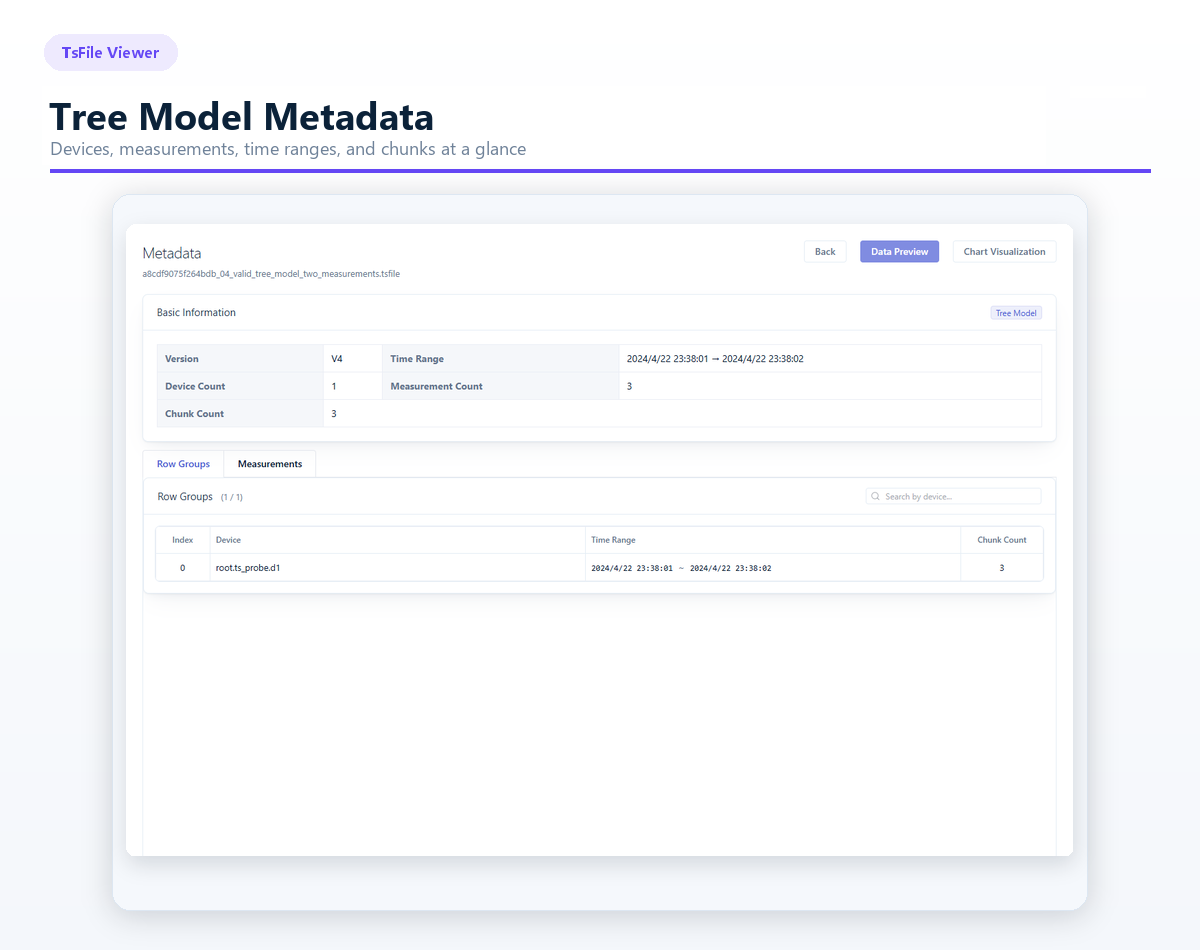
For Tree Model Files, Users Can View:
File version and time range
Number of devices, measurements, and chunks
Device information and Detailed measurement information
Data time ranges for each device
For Table Model Files, Users Can View:
File version and time range
Number of tables, devices, and measurements
Tag columns and field columns
Data types, encoding methods, and compression methods for each field
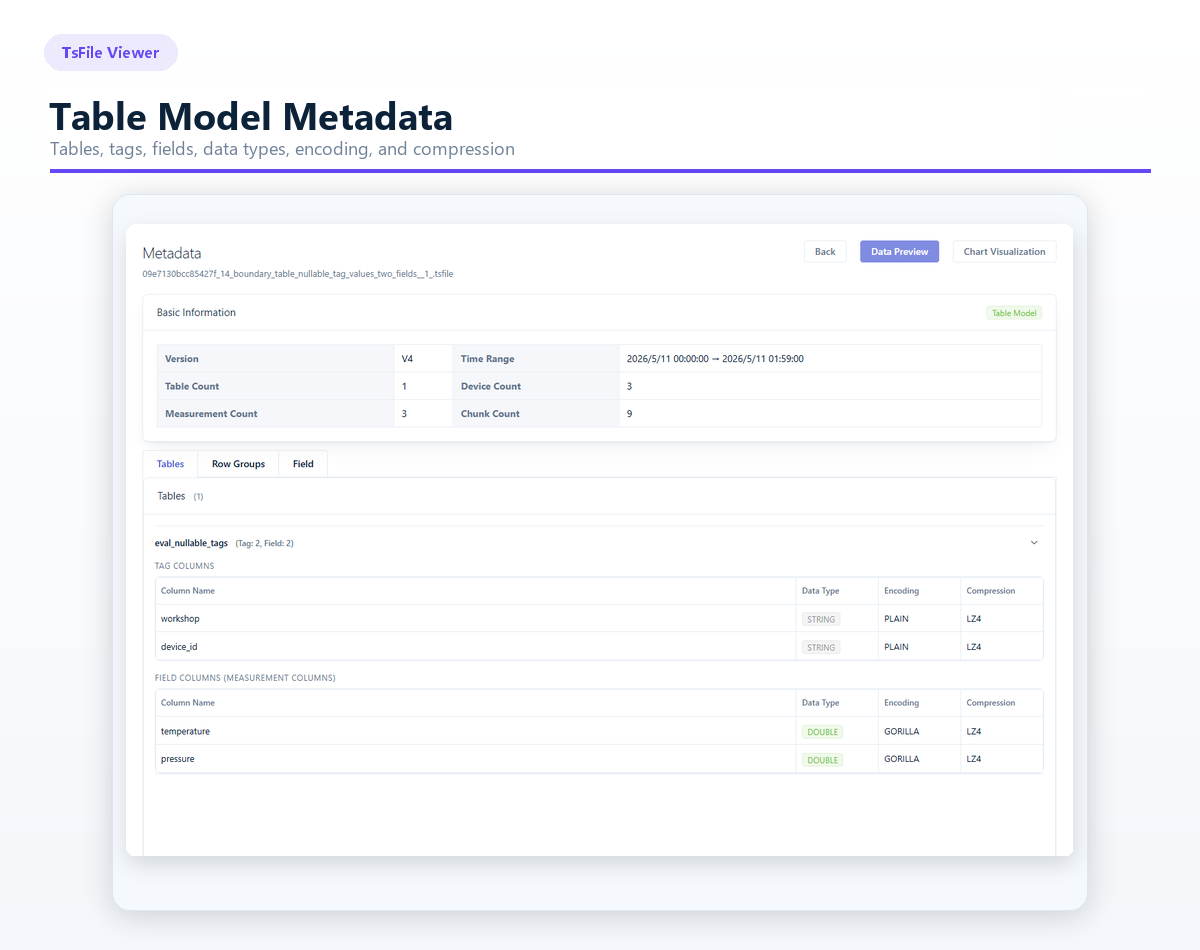
Instead of manually parsing file structures layer by layer, developers can quickly understand how data is organized. This makes TsFile Viewer useful for development debugging, data validation, and issue investigation.
Find Target Data Faster with Flexible Filtering
TsFile files may contain thousands of devices, measurements, or fields. Locating specific data can be challenging without proper tools.
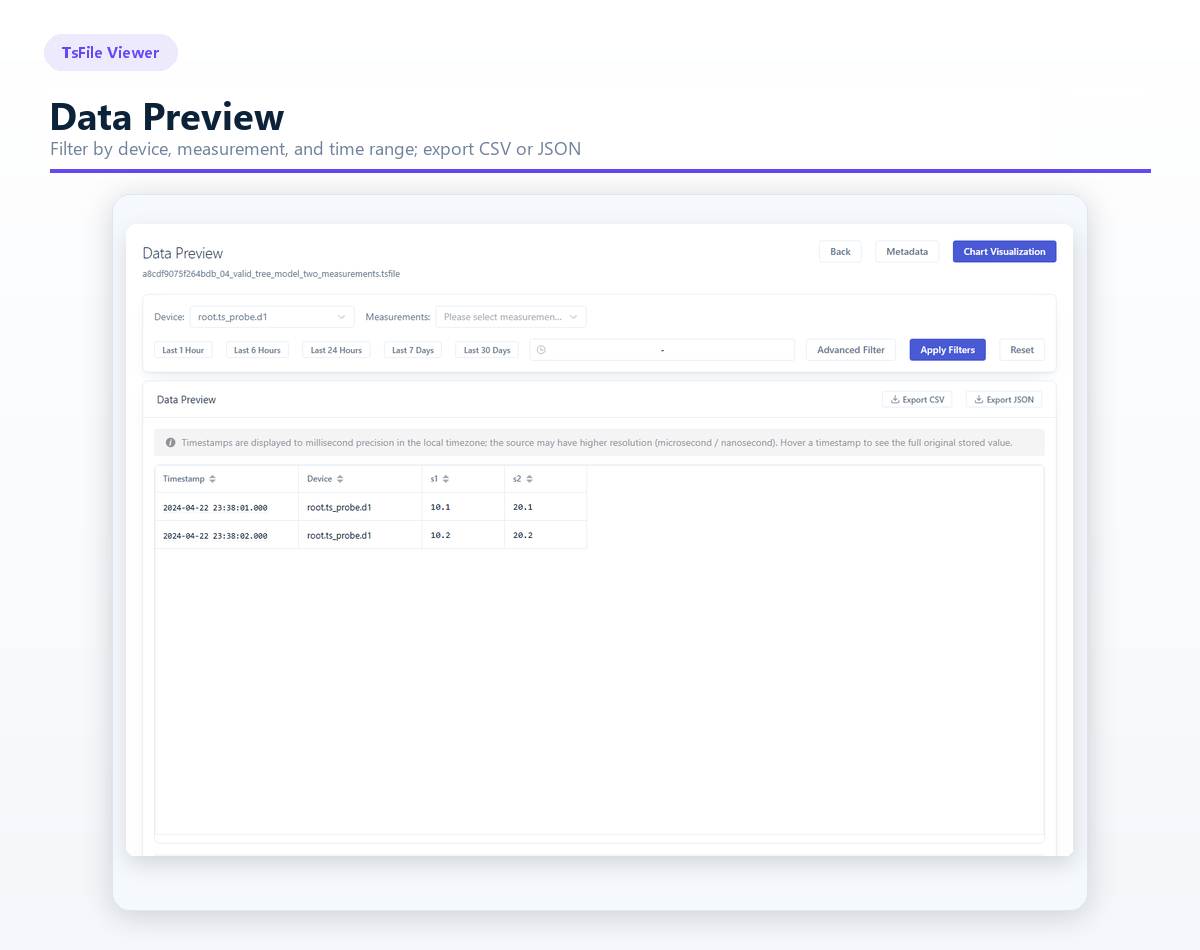
TsFile Viewer provides flexible data browsing capabilities that allow users to filter data by:
Table
Device
Measurement
Field
Users can also select predefined time ranges, including:
Last 1 hour
Last 6 hours
Last 24 hours
Last 7 days
Last 30 days
Custom start and end time ranges are also supported.
With advanced filtering, column search, and pagination, users can quickly focus on the data they need — even when working with files containing a large number of fields.
Filtered results can be exported as CSV or JSON files for further analysis, sharing, or archiving.
Visualize Time-Series Changes with Interactive Trend Charts
Raw time-series data is often difficult to interpret when viewed row by row.
Trend charts make it much easier to identify:
Data fluctuations
Sudden changes
Abnormal patterns
Long-term trends
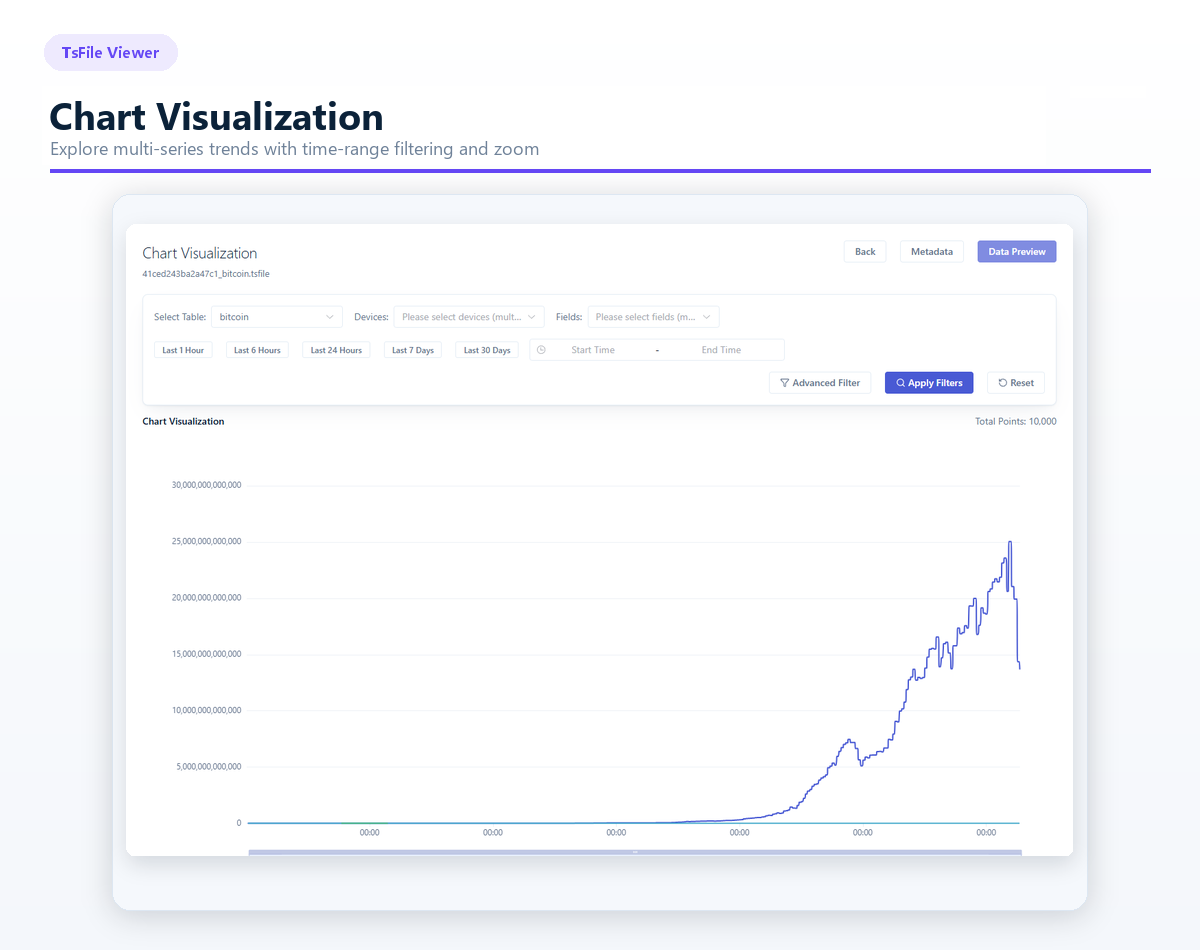
TsFile Viewer can generate multi-series trend charts based on selected devices, measurements, or fields. Users can filter by time range and zoom into specific periods to analyze detailed changes.
When displaying large-scale time-series curves, TsFile Viewer can apply LTTB (Largest-Triangle-Three-Buckets) downsampling to reduce rendering workload while preserving important characteristics such as:
Peaks
Turning points
Overall trend patterns
As a result, users can explore dense time-series data over long periods more smoothly without losing the most important visual information.
Whether validating data collection results, comparing multiple measurements, or investigating changes during a specific time window, TsFile Viewer helps users understand time-series behavior more efficiently.
Check TsFile Health with Single-File or Directory Scanning
Beyond data visualization, TsFile Viewer provides powerful file scanning capabilities to help users quickly evaluate file health.
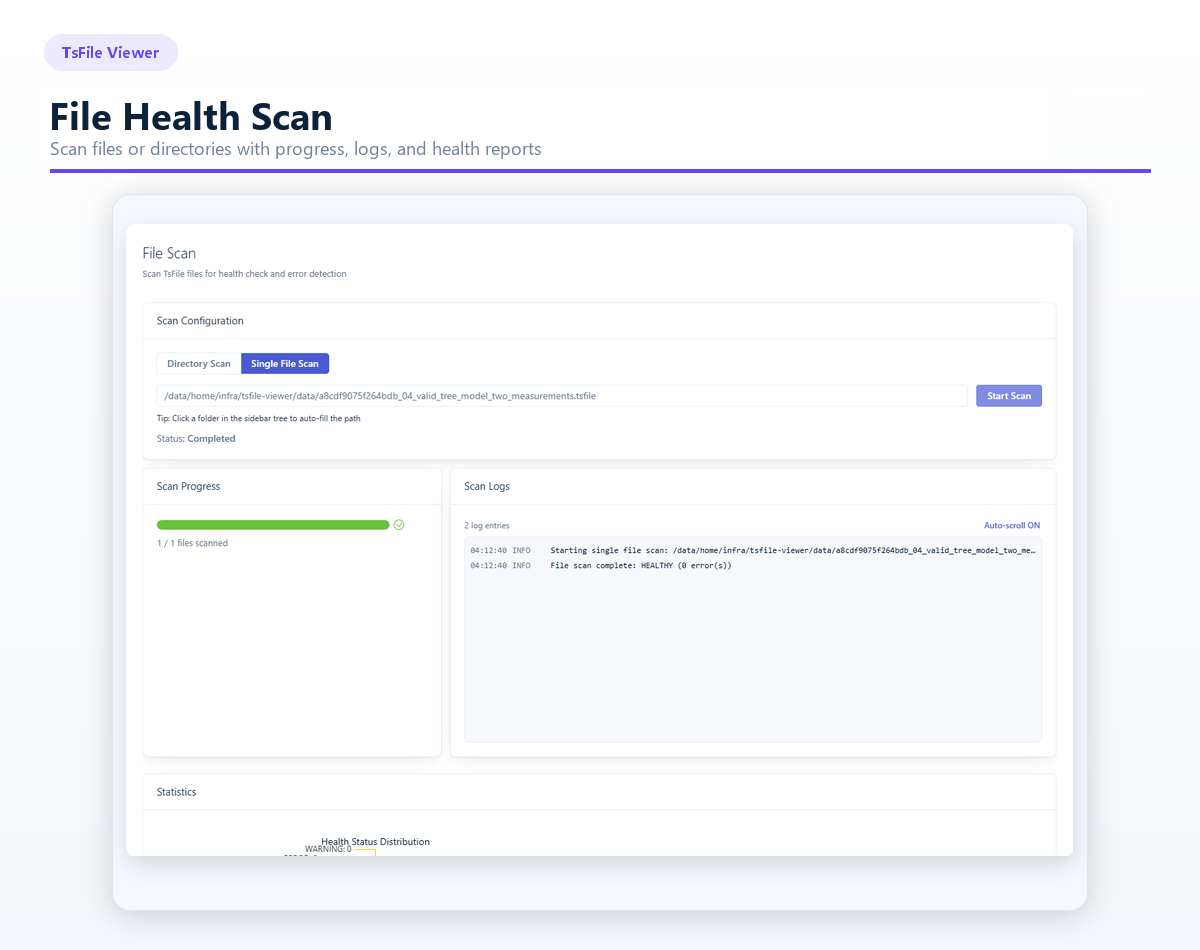
Two scanning modes are supported:
Single-file scanning
Directory scanning
During scanning, users can monitor real-time progress and detailed logs. Once the scan is complete, TsFile Viewer summarizes key information, including file path, file size, health status, detected issues, and scanning duration.
Scan results are categorized into three levels:
HEALTHY: No issues are detected, and the file can be processed normally.
WARNING: Non-critical reading issues are detected, but the file may still be usable.
ERROR: Structural or critical issues are found that may prevent normal parsing.
The health check mechanism follows the same marker-based sequential traversal approach used by IoTDB. It validates the file progressively, from the overall structure to page-level data, checking file integrity, chunk consistency, timestamp ordering, page time ranges, and consistency between metadata and the actual stored data.
Through these checks, TsFile Viewer can help identify common issues such as incomplete files, incompatible formats, structural damage, abnormal data reading, duplicated or unordered timestamps, overlapping time ranges, and inconsistent page metadata.
For scenarios such as batch file validation, troubleshooting data ingestion issues, or quickly confirming whether a TsFile can be parsed successfully, TsFile Viewer provides a clear and efficient way to understand file health without relying on additional scripts or manual inspection.
Common Use Cases for TsFile Viewer
Development and Debugging
Quickly verify generated TsFile files and confirm whether devices, measurements, fields, and stored data match expectations.
Testing and Quality Assurance
Inspect metadata, preview stored data, and scan file health to identify structural or data-related issues.
Operations and Troubleshooting
Use time filtering, trend visualization, and scanning reports to narrow down problems and reduce the need for temporary scripts.
Data Delivery and Collaboration
Present TsFile contents visually and export selected data as CSV or JSON for downstream processing and communication.
Get Started in Three Simple Steps
Step 1: Download and Launch TsFile Viewer
Visit the Apache TsFile Viewer GitHub project and follow the README instructions to prepare the environment and launch the application.
For development mode, start the backend and frontend services separately, then access:
For production deployment, build the distribution package and start the application using the generated JAR package, then access:
You can then enter the TsFile Viewer interface directly through your browser.
Step 2: Upload a TsFile
Select an existing TsFile file, or drag and drop a .tsfile file into TsFile Viewer.
Step 3: Explore and Analyze
Choose the functions you need:
Metadata inspection
Data preview
Chart visualization
File health scanning
From file structure to data content, and from trend analysis to health diagnostics, TsFile Viewer makes TsFile exploration and troubleshooting more visual, efficient, and accessible.
Start using TsFile Viewer today and quickly understand your TsFile data.


