


Industrial equipment generates data continuously. Measurements such as temperature, pressure, vibration, current, rotational speed, and equipment status are recorded over time, creating a detailed history of how machines and production systems operate.
As this industrial time-series data grows, enterprises need more than reliable storage and efficient queries. They also want a more convenient way to deploy and use a database, with less complexity in environment setup and day-to-day management.
To address this challenge, Timecho introduced TimechoDB Cloud, the cloud service offering of TimechoDB. It enables developers and enterprise teams to create and manage TimechoDB instances online, shortening the path from environment setup to data ingestion, querying, and application validation.
What Is TimechoDB Cloud?
Before looking at the service in detail, it is useful to distinguish three related—but different—names: Apache IoTDB, TimechoDB, and TimechoDB Cloud.
Apache IoTDB is an open-source, IoT-native time-series database project under the Apache Software Foundation. It provides an open-source foundation for collecting, storing, managing, and analyzing time-series data in IoT and industrial environments.
TimechoDB is Timecho’s commercial product, built on Apache IoTDB technology. Developed by members of the Apache IoTDB core team, it is designed for enterprise applications and industrial deployments.
TimechoDB Cloud is the cloud offering of TimechoDB. It brings instance creation, resource configuration, connection details, and database access into one online platform.
In short, Apache IoTDB provides the open-source technology foundation, TimechoDB brings that foundation into a commercial product for enterprise and industrial use, and TimechoDB Cloud makes TimechoDB available through a managed cloud service.
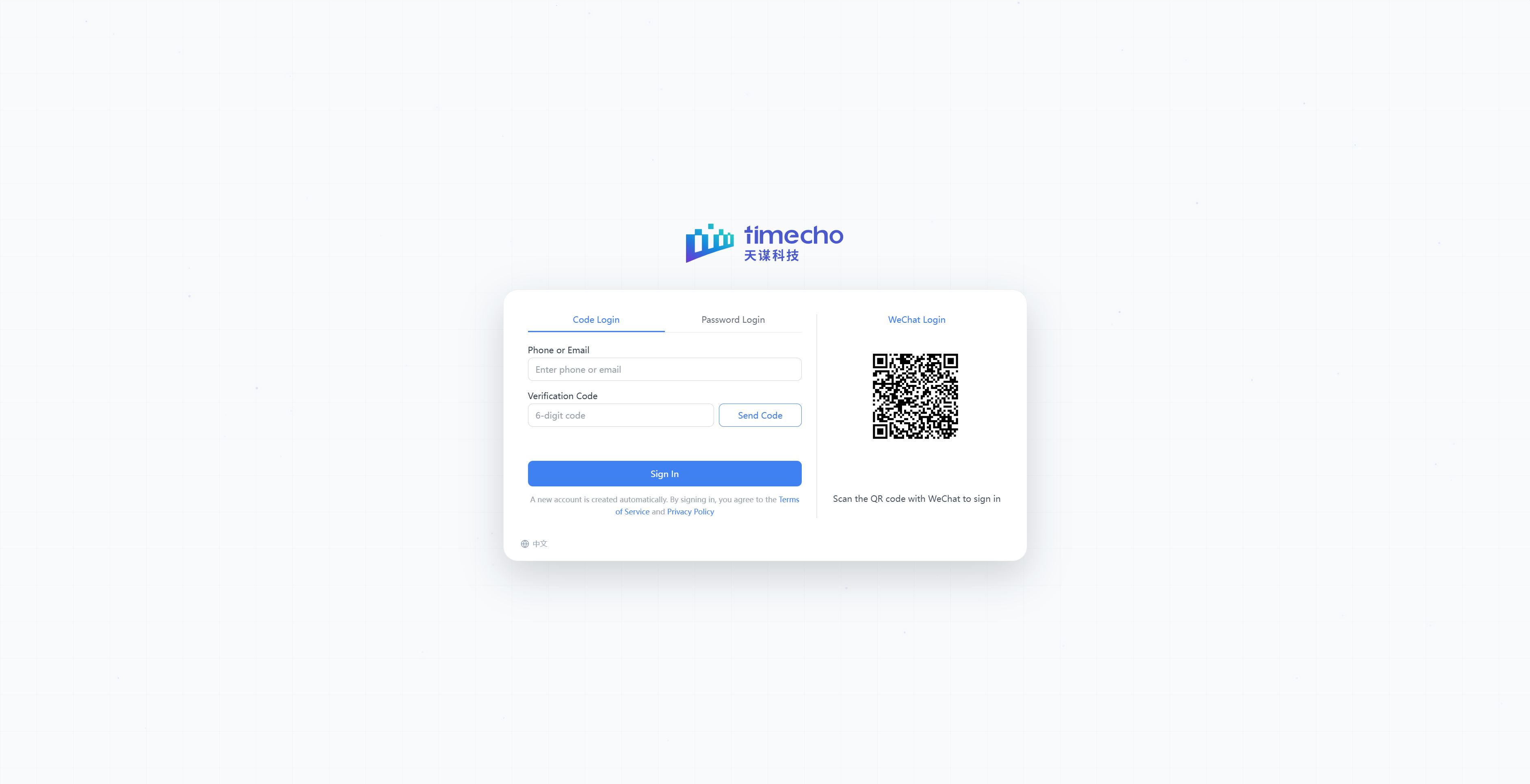
Create a TimechoDB Instance in Under 30 Seconds
The most immediate difference between a self-managed deployment and a cloud service is the setup process.
Setting up TimechoDB independently typically involves provisioning a server, installing the database, adjusting configuration, initializing the service, and—where applicable—obtaining a machine code and activating the license. TimechoDB Cloud automates these steps.
After an instance specification is selected, the platform automatically creates and initializes the instance and activates its license. Under the current product workflow, a TimechoDB instance can be created in under 30 seconds.
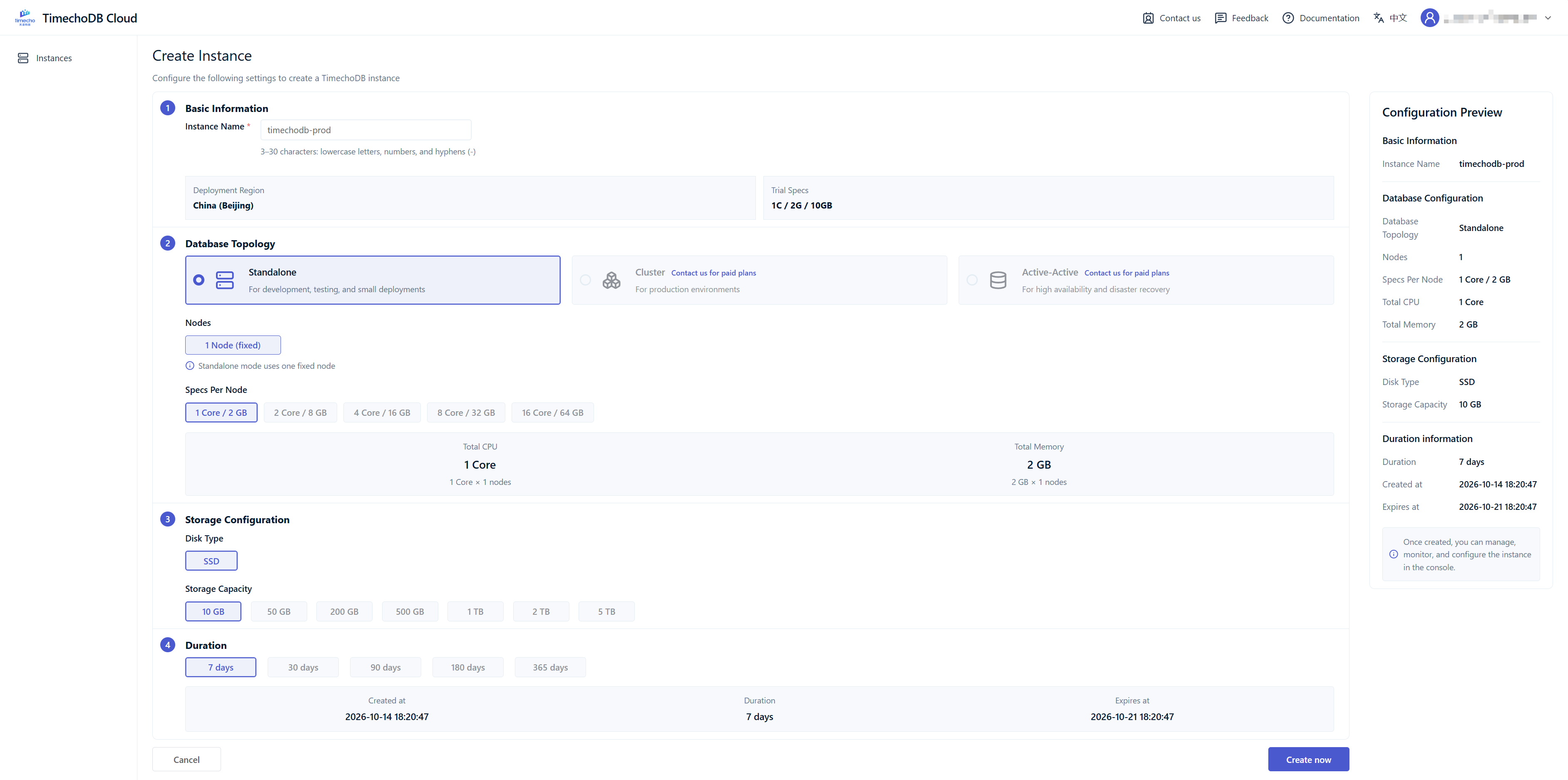
Once the instance is ready, its key details are available in one place: basic information, including status and resource configuration; connection endpoints, such as the REST and console URLs; and connection options, including TimechoDB CLI, JDBC, and Python.
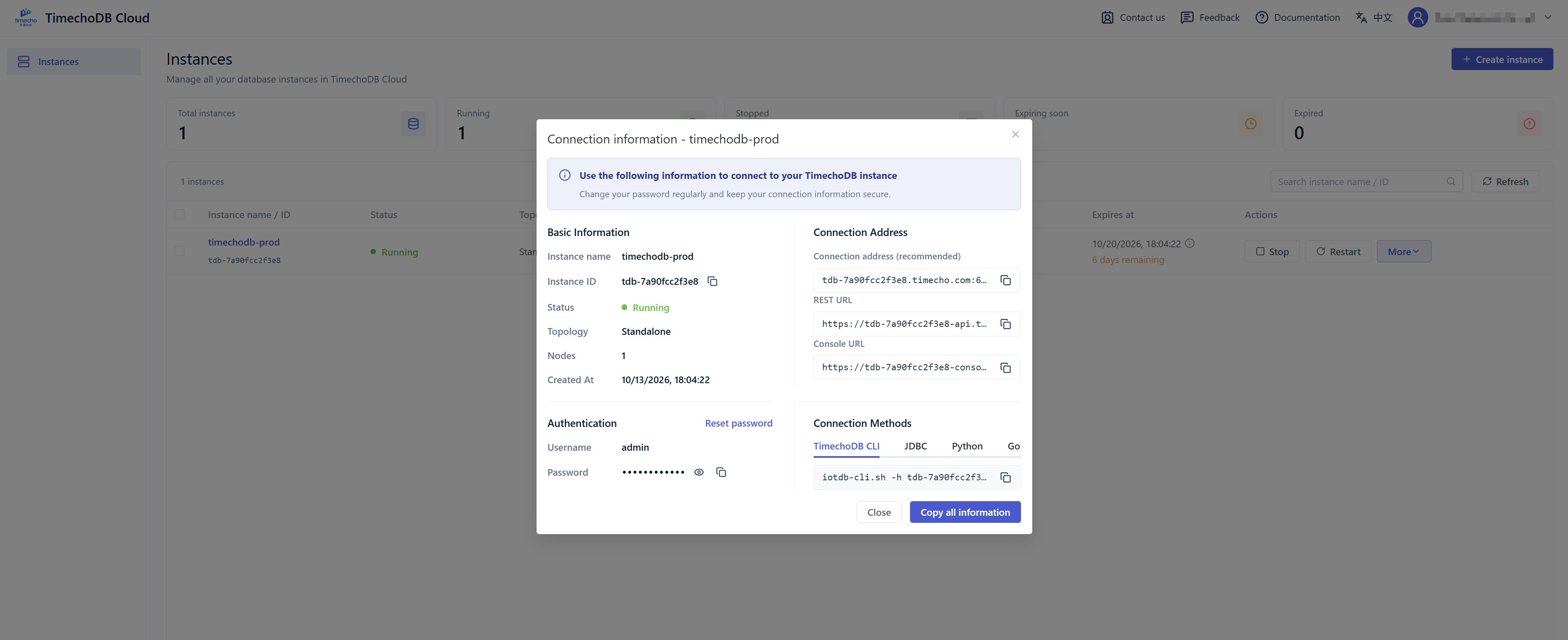
Timecho Workbench is also accessible directly from TimechoDB Cloud. SQL can be written and executed in the workbench without setting up a separate client, making it possible to manage data and validate queries in the same environment.
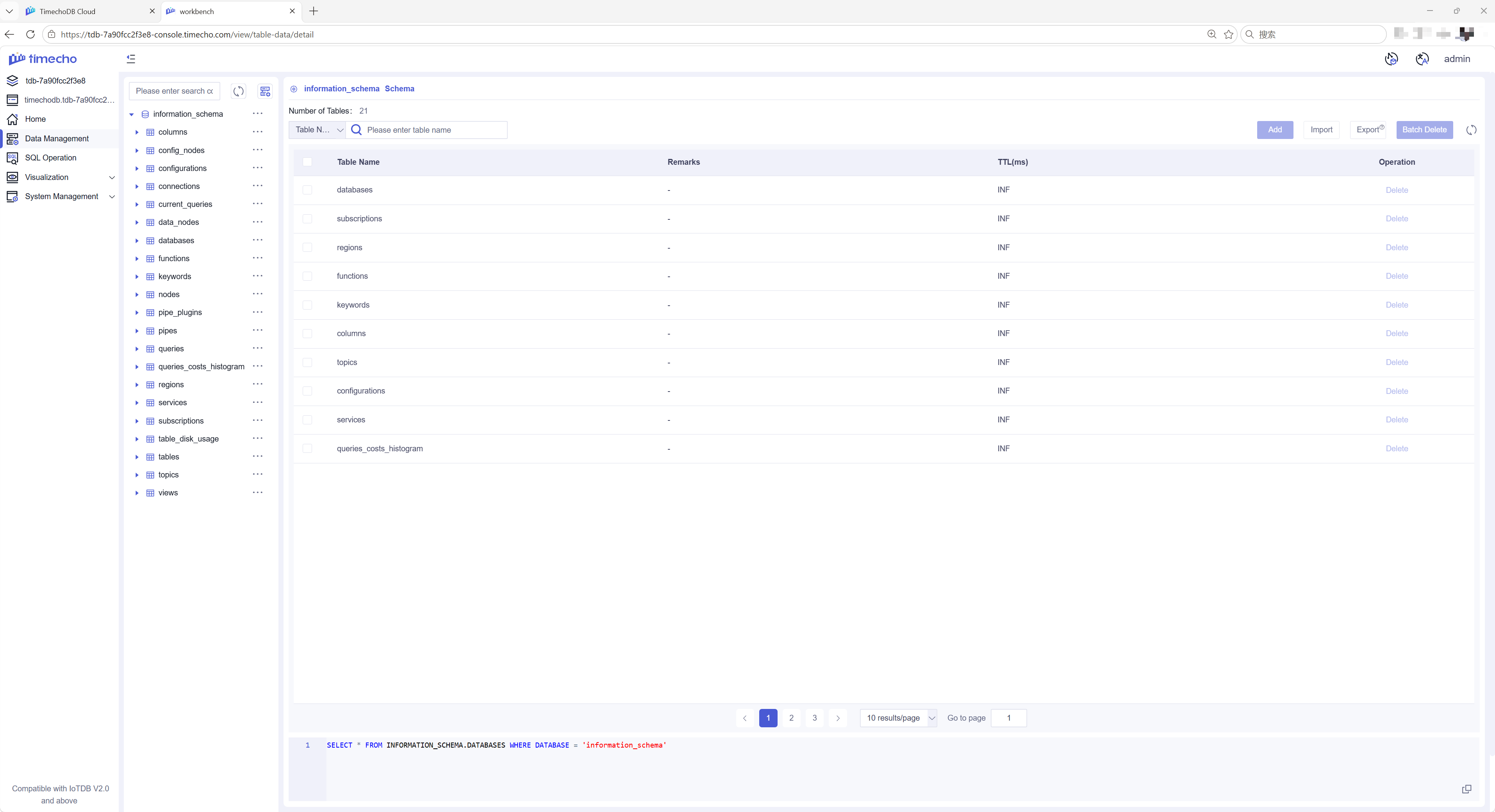
This gives developers more time to focus on data models, queries, and business applications instead of database installation and environment configuration.
Multiple Architectures for Different Workloads
As a project moves from early evaluation to production use, infrastructure requirements often change as well.
A developer or technical team may need only a small environment for product evaluation and proof-of-concept work. A production workload may require higher availability, additional resources, or a multi-node architecture.
TimechoDB Cloud provides standalone, active-active, and cluster architecture options. Instance specifications can be selected according to testing or production requirements and adjusted as the application’s scale and resource needs change.
Dedicated Resources and Instance Isolation
For industrial organizations, cloud adoption is not only about convenience. Data security, resource isolation, and access boundaries are equally important.
TimechoDB Cloud is designed with instance-level resource isolation. Each cloud instance operates with dedicated CPU, memory, and storage resources, without resource sharing across different user instances.
It provides three layers of separation:
Resource isolation: CPU, memory, and storage are dedicated to the instance owner.
Network isolation: other user instances cannot access the instance's network.
Permission isolation: access is controlled at the product and account level.
These boundaries give organizations a clearer basis for assessing how a cloud database environment fits their infrastructure and data-governance requirements.
From Managing Time-Series Data to Using It
A time-series database must first handle the fundamentals: reliable storage, data management, and efficient querying. But the value of time-series data does not end once it has been stored.
In equipment operations, energy management, and industrial production, historical data can also be used to identify trends and support forward-looking analysis.
Within Timecho's DB × AI product architecture, TimechoDB Cloud can serve as the time-series data management layer. When model-based time-series analysis is needed, it can connect with TimechoAI.
The components have distinct responsibilities:
TimechoDB Cloud stores, manages, and queries operational time-series data.
TimechoAI provides model services for tasks such as time-series forecasting.
TimechoCLI connects the database, TimechoAI, and an application-layer AI agent, supporting data retrieval, SQL validation, prediction calls, and result handling.
This is more than simply placing a database alongside an AI model. Each component has a defined role: the database manages the data, the model performs forecasting, and the tool layer manages connectivity and deterministic execution.
What TimechoDB Cloud Can Help With
TimechoDB Cloud removes much of the preparation involved in self-managed deployment, making it suitable for developers and enterprise teams that need to set up a time-series data environment quickly.
Product Evaluation and Feature Testing
Create a TimechoDB instance quickly to explore data modeling, data ingestion, SQL querying, and other core product capabilities.
Time-Series Application Development and Validation
Build a time-series data environment for scenarios such as industrial equipment, energy management, and the Internet of Things. The environment can be used to validate data ingestion, storage, querying, and application-integration approaches.
Technology Selection and Architecture Evaluation
Select instance specifications and deployment architectures based on business requirements, then evaluate database performance under the target workload. The results can provide a practical reference for subsequent technology and architecture decisions.
Conclusion
TimechoDB Cloud is the cloud service offering of TimechoDB, designed to reduce the operational overhead of deploying and using a time-series database.
By simplifying instance provisioning and everyday access, it helps developers and enterprise teams move more efficiently from data ingestion to management, querying, and application validation. When forecasting becomes part of the workflow, TimechoDB Cloud can also connect with TimechoAI as part of a broader DB × AI architecture.
If you’re exploring or evaluating TimechoDB, visit db.timecho.com to create a cloud instance and experience its data management and query capabilities firsthand.


